

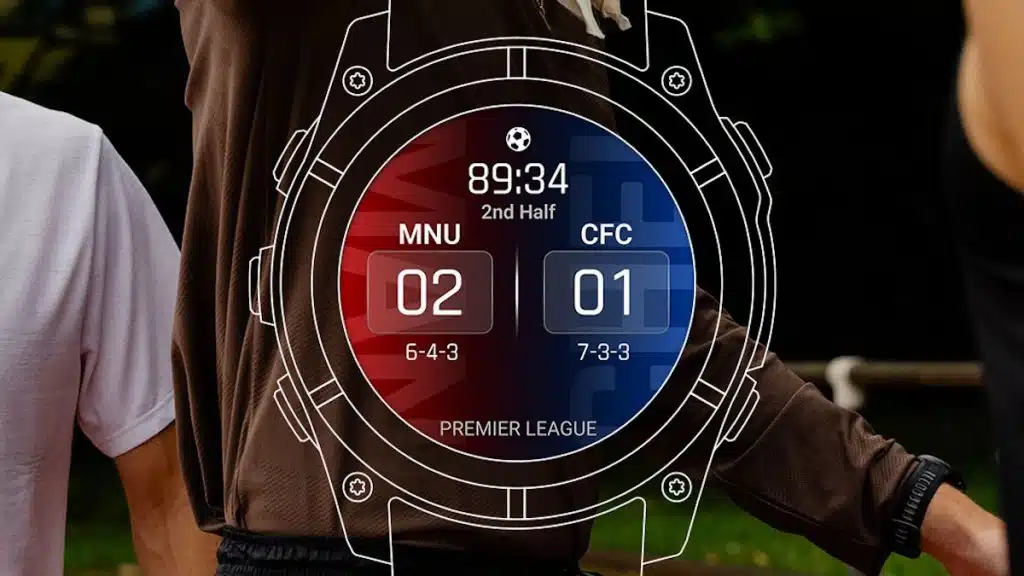
For many athletes and tech enthusiasts, the Garmin smartwatch is a tool for monitoring personal performance. However, a new software update is shifting the focus from the wearer’s stats to the professional arena. Garmin has officially introduced a “Sports Scores” glance, allowing users to track live game updates, upcoming schedules, and league standings without ever reaching for their smartphones.
A Seamless Integration for Sports Fans
The primary appeal of this new feature is convenience. By integrating sports data directly into the “glance” loop—the same menu where you view your heart rate, sleep data, and weather—Garmin has made checking a game score as habitual as checking the time.
It is important to remember that this feature is not standalone; it relies on a constant Bluetooth connection to the Garmin Connect app on your smartphone. Your watch acts as a remote display, pulling live data feeds from your phone to ensure the information on your wrist is current.
Which Leagues Are Currently Supported?
At launch, Garmin is supporting 15 major sports leagues. The selection is heavily weighted toward North American professional sports and European soccer, providing a solid foundation for a global audience.
-
Soccer: Premier League, La Liga, Serie A, Ligue 1, Bundesliga, and MLS.
-
Basketball: NBA, WNBA, and both Men’s and Women’s NCAA basketball.
-
American Football: NFL and NCAA Football.
-
Other Majors: NHL (Hockey) and MLB (Baseball).
While some niche sports are currently missing, the inclusion of these heavy hitters covers the vast majority of mainstream sports fans.
Step-by-Step: Activating Sports Scores on Your Wrist
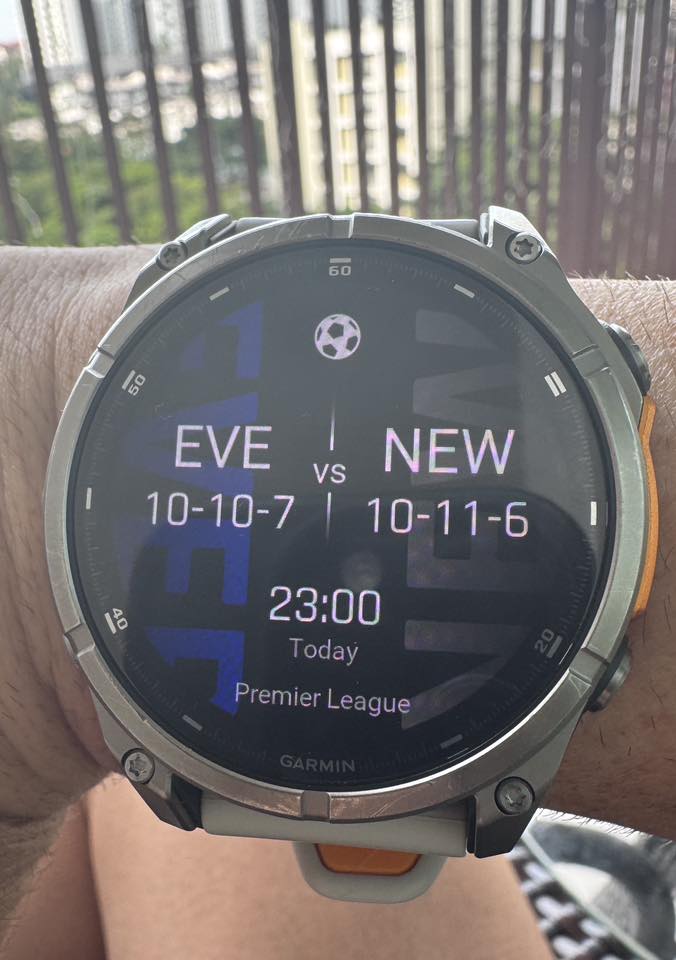
If you own one of the compatible models, getting the game data onto your screen only takes a few moments. Here is the quickest way to find and enable the feature:
-
Enter the Glances Loop: From your main watch face, swipe up (or press the ‘Down’ button) to scroll through your current widgets/glances.
-
Access the Edit Menu: Scroll all the way to the very bottom of your list and select Edit.
-
Find the Add Command: Scroll down past your active widgets until you see the + Add option.
-
Locate “Sports Scores”: Look through the list of available apps and data fields. Select Sports Scores to pin it to your active loop.
-
Reorder for Speed: Once added, you can hold the ‘Menu’ or ‘Up’ button to move the widget higher in your list so it’s easier to reach during a game.
Choosing Your Teams and Leagues
Once the widget is active, the initial screen will be blank. To populate it, tap into the widget and select Add Team or League.
-
To Prioritize: Use the “Favorite” star icon next to your top-tier teams. This ensures their live score appears on the “glance” view (the summary screen) without you needing to tap into the full widget.
-
To Clean Up: If the season is over or you want to stop tracking a specific club, scroll to the bottom of the widget settings, select My Teams, click the specific team, and hit Remove.
Hardware Compatibility and the “Upgrade” Strategy
While the software is a welcome addition, its availability is notably restricted. The Sports Scores glance is currently limited to Garmin’s most recent hardware releases, including:
-
Lifestyle & Performance: Venu 3 & 4 series, Vivoactive 6, and D2 Mach 2.
-
Running & Outdoor: Forerunner 570/970, Fenix 8 series (including E and Pro), Enduro 3, and the Tactix/Quatix 8 lines.
Critics have pointed out that the technical requirements for displaying text-based sports scores are minimal. This suggests that the exclusion of older, yet still powerful, models like the Fenix 7 or Forerunner 955 may be a strategic choice by Garmin to encourage users to move toward their latest generation of devices.
Final Thoughts
The addition of live sports scores completes the “smart” side of Garmin’s fitness-first ecosystem. While it may feel like a small update, for the user who wants to stay connected to their favorite team during a workout or a workday, it is a significant quality-of-life improvement. However, those holding onto older Garmin models will have to decide if these software “extras” are enough to justify an expensive hardware upgrade.
Also Read: The Best Garmin Watches of 2026: A Beginner’s Guide to the Ultimate Ecosystem

