

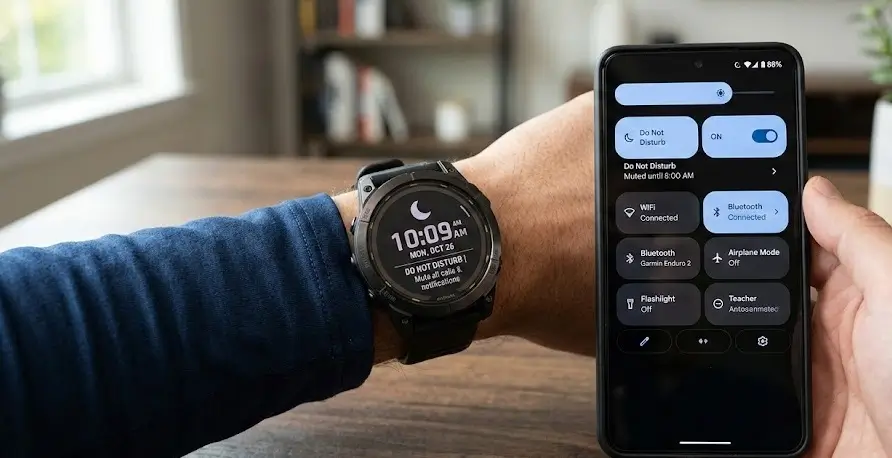
For years, a subtle but frustrating discrepancy existed between how Garmin watches interacted with iPhones versus Android devices. While iOS users enjoyed seamless mirroring of their phone’s “Do Not Disturb” (DND) status, Android users were often left with a buzzing wrist even when their handset was silenced. After a brief period of trial and error in recent months, Garmin has officially released a solution in Garmin Connect version 5.22 that prioritizes user preference over a “one-size-fits-all” approach.
The Evolution of the DND Toggle
The journey to this update wasn’t a straight line. Garmin initially attempted to bridge the Android gap with version 5.18, which introduced automatic DND syncing. However, this caused an unexpected backlash from users who preferred their watch to remain active while their phone was quiet—such as during workouts or specific work meetings.
In response to the mixed feedback, Garmin briefly removed the feature in version 5.19, reverting to the old independent behavior. Version 5.22 represents the “goldilocks” middle ground: the feature is back, but it is now entirely optional.
How to Enable (or Disable) Syncing
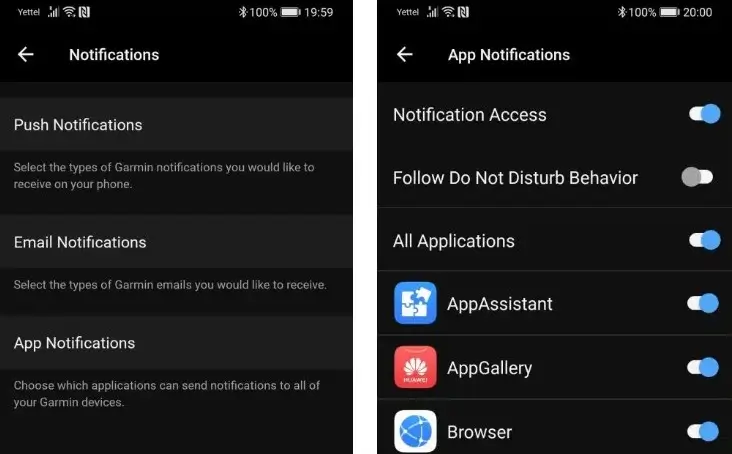
The new update introduces a dedicated toggle within the app, allowing you to decide exactly how your wearable handles system-wide silences. To find the new setting, follow these steps in the Garmin Connect app on your Android device:
-
Navigate to Settings.
-
Select Notifications.
-
Tap on App Notifications.
-
Look for the new option: Follow Do Not Disturb Behavior.
By flipping this switch, your Garmin watch will instantly mirror your phone’s status. If you prefer the devices to operate independently, simply keep the toggle in the ‘off’ position.
Closing the Gap Between Android and iOS
Historically, Garmin’s Android integration has lagged behind its Apple counterpart due to differences in how different operating systems handle notification permissions. For over half a decade, forum threads have been filled with requests for a “silence mirroring” feature.
The introduction of this toggle isn’t just a technical fix; it’s a nod to the diverse ways athletes and professionals use their gear. Some want a completely silent environment, while others use their watch as a “filtered” notification delivery system when their phone is tucked away.
Final Thoughts: A Smart Move for User Experience
By moving away from a forced synchronization and toward a customizable setting, Garmin has resolved a long-standing complaint without alienating the power users who liked the old way. This update is currently rolling out globally. If you don’t see the “Follow Do Not Disturb” option yet, check the Google Play Store to ensure you are running version 5.22 or higher.
Also Read: Garmin Connect 5.22 Update: Live Battery Status Finally Hits the Device List

