

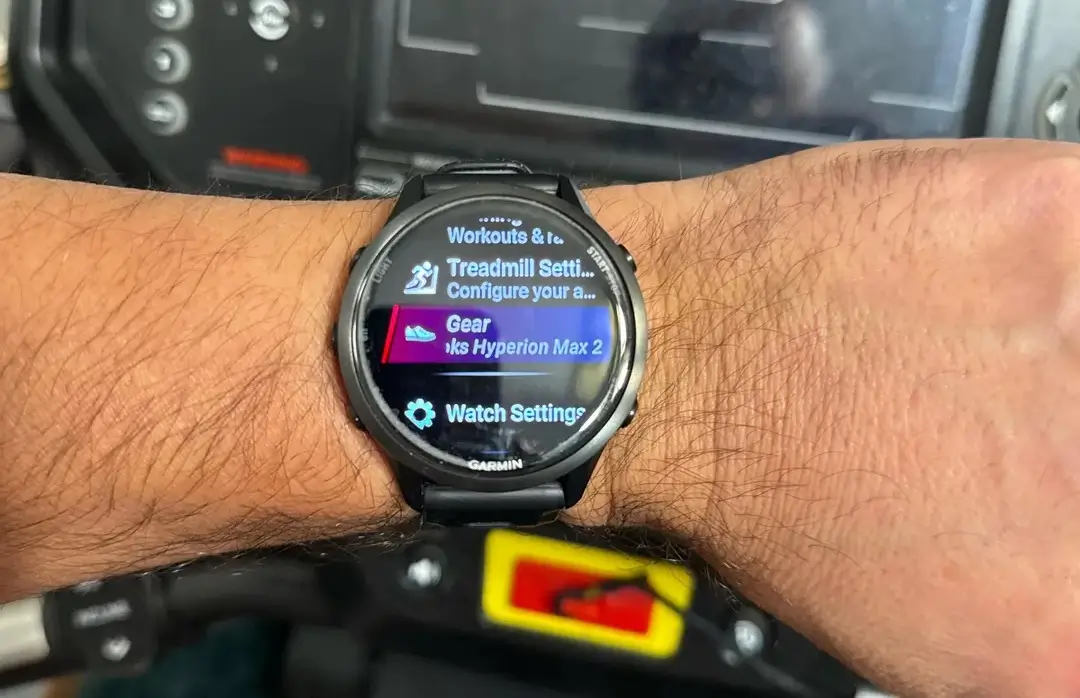
Garmin has long been a favorite for athletes who love data, but one small friction point has persisted for years: managing gear. Until now, tracking the mileage on your favorite pair of running shoes or the wear and tear on your bike required diving into the Garmin Connect mobile app after a workout.
With the rollout of the Q1 2026 software update, Garmin is finally bringing equipment management to the watch face, allowing users to make real-time adjustments before the timer even starts.
A Shift from Mobile to Manual Control
In the previous ecosystem, gear tracking was a “set it and forget it” or “fix it later” affair. You would designate a default pair of shoes in the app, and every run would be logged against them automatically. If you swapped shoes for a race or a trail session, you’d have to remember to manually edit the activity on your phone later that day.
The new update bridges this gap. While the initial setup of your gear—naming the item and setting its maximum lifespan—still takes place within Garmin Connect, the actual application of that gear is now accessible in the pre-activity menu on the watch.
How the On-Watch Interface Works
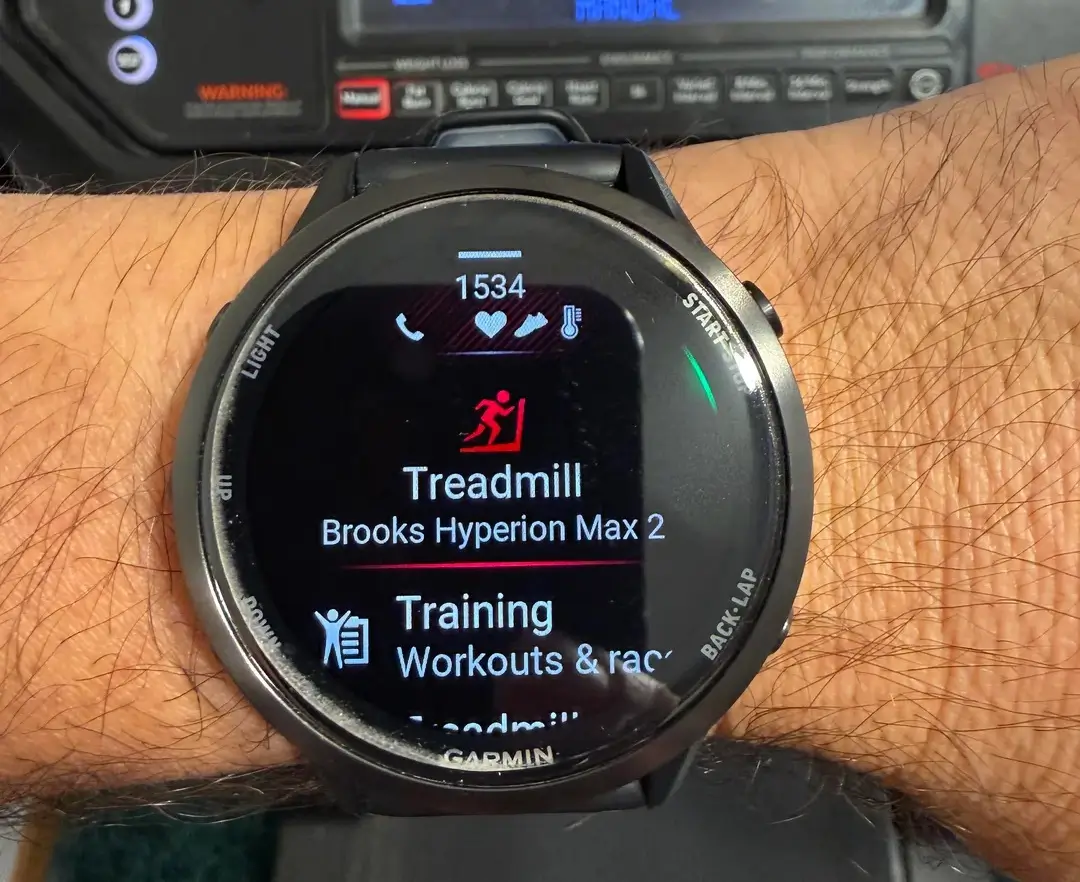
When you select an activity like “Run” or “Bike,” you will now find gear management nested within the activity settings. This provides three immediate options before you hit start:
-
Confirm Defaults: Stick with your pre-assigned equipment.
-
Swap Gear: Quickly toggle to a different saved item (e.g., switching from daily trainers to carbon-plated racing shoes).
-
Remove Equipment: Opt out of tracking gear for that specific session entirely.
This tactile control ensures that your mileage data remains accurate from the moment you step out the door, eliminating the need for post-run digital housekeeping.
Expanded Support for Diverse Sports
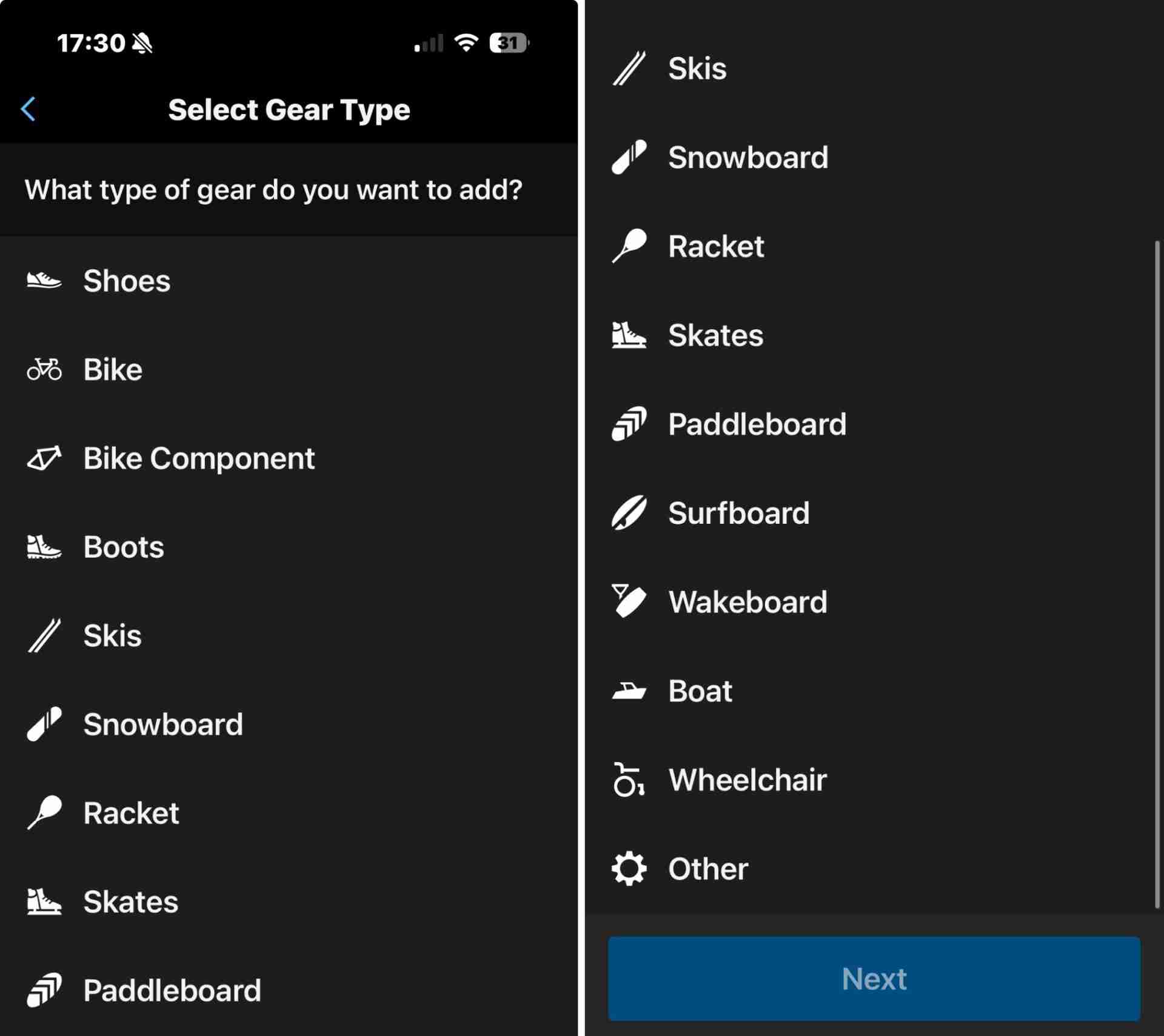
Beyond just changing where you manage your gear, Garmin has significantly broadened what you can track. The database in Garmin Connect has been overhauled to include specialized equipment that was previously difficult to categorize.
Athletes can now monitor the usage of:
-
Winter Sports: Skis and snowboards.
-
Water & Court Sports: Rackets, surfboards, paddleboards, and wakeboards.
-
Niche Equipment: Skates and even wheelchairs.
This expansion reflects Garmin’s push to be a comprehensive tool for all types of movement, not just the “big three” of running, cycling, and swimming.
Understood! I’ll swap out that general list for the specific models you mentioned. Here is the revised section, followed by the full updated article.
Verified Supported Devices for the Q1 2026 Update
The ability to manage equipment directly on the wrist is specifically limited to Garmin’s most recent hardware platforms. While the broader gear database update is available in the mobile app for everyone, the on-watch interface is exclusively rolling out to the following models:
-
Venu & vívoactive: Venu X1, Venu 4, vívoactive 6
-
Forerunner Series: Forerunner 570, Forerunner 970
-
fēnix Series: fēnix 8, fēnix 8 Pro, fēnix E
-
Enduro & Outdoor: Enduro 3, quatix 8, quatix 8 Pro, D2 Mach 2, Tactix 8
- Instinct Series: Instinct 3 AMOLED & Solar, Instinct E, Instinct Crossover
Current Limitations and the Road Ahead
Despite these advancements, the system isn’t without its quirks. Currently, there is no standalone “Gear Widget” for the watch; the feature only appears when you are preparing to start an activity. This means you cannot check the total mileage of your shoes during the day without opening the mobile app.
Additionally, power users have noted that the system still lacks “smart” automation. For instance, the watch cannot yet automatically suggest specific shoes based on whether you are doing an Interval session versus a Long Run. For now, the responsibility remains on the athlete to toggle the settings manually—though having that toggle on the wrist is a massive leap forward in convenience.
Also Read: The Best Garmin Watches of 2026: A Beginner’s Guide to the Ultimate Ecosystem

