

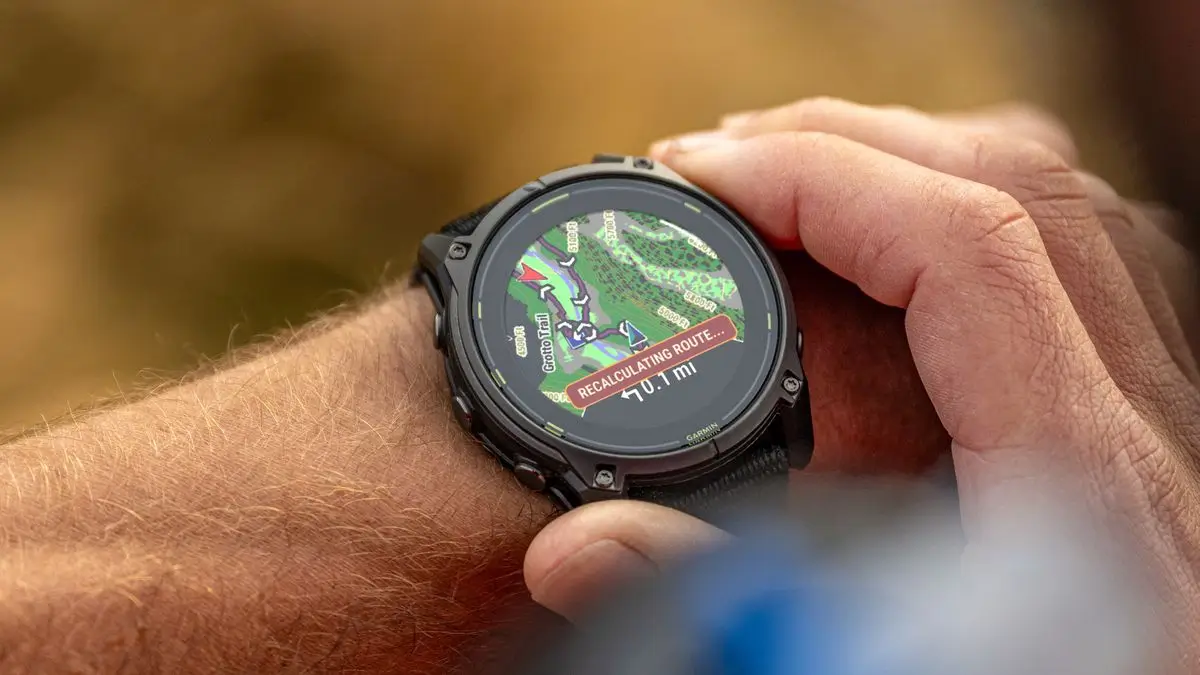
Outdoor enthusiasts have a new way to manage their fitness data. OsmAnd, the popular open-source navigation app, has officially announced a direct integration with Garmin Connect. This move allows users to automatically sync their workouts and tracks between the two platforms, making it easier to visualize fitness data alongside detailed maps.
What is OsmAnd (OpenStreetMap Automated Navigation Directions)?
OsmAnd is a map and navigation app built for people who love the outdoors. Unlike most map apps, it works completely offline, so you don’t need an internet connection or a cell signal to find your way. It uses “OpenStreetMap” data, which includes very specific details like small hiking trails, mountain paths, and forest tracks that other maps often miss. It is a popular choice for hikers, cyclists, and travelers who want detailed maps while keeping their location data private.
Seamless Activity Syncing
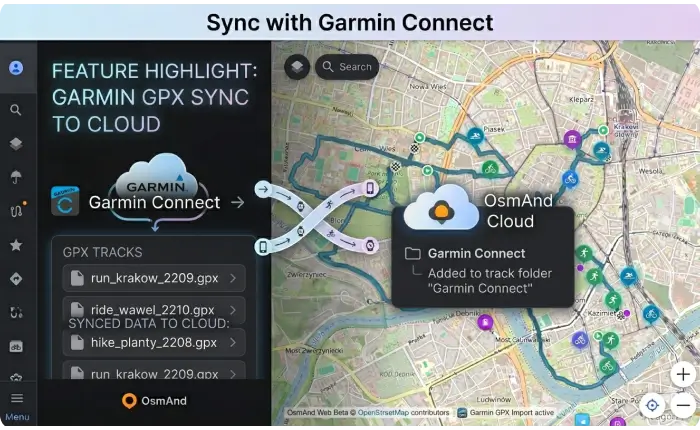
The main highlight of this update is the “Garmin Connect” folder that now appears in the Tracks section of OsmAnd. Once you link your accounts, any new activity you record on a Garmin device—whether it’s a run, a bike ride, or a hike—will automatically appear in this folder.
This isn’t just for the web version; the folder syncs directly to the OsmAnd mobile app, so you can use your Garmin data for navigation or analysis while you are out in the field.
How to Get Started
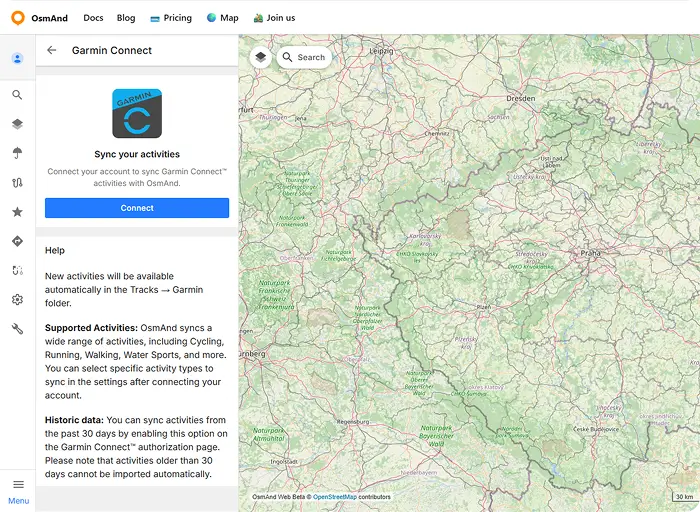
To set this up, you need an active OsmAnd Pro subscription. You link the accounts through the OsmAnd Web Map interface:
-
Connect: Go to the “Connected Apps” section in your account settings and click “Connect” next to Garmin.
-
Authorize: Log in to your Garmin account and give OsmAnd permission to access your data.
-
Historical Data: During this step, you can choose to sync your history. OsmAnd can pull in activities from the last 30 days automatically, but anything older than that won’t be imported through this specific tool.
Customizable Sync Settings
One of the best parts of this integration is the control it gives you. In the new Garmin menu on OsmAnd Web, you’ll find a Settings section where you can choose exactly which types of activities sync. If you only want your cycling trips to show up in OsmAnd but want to keep your daily walks separate, you can easily toggle those preferences.
Managing Your Data
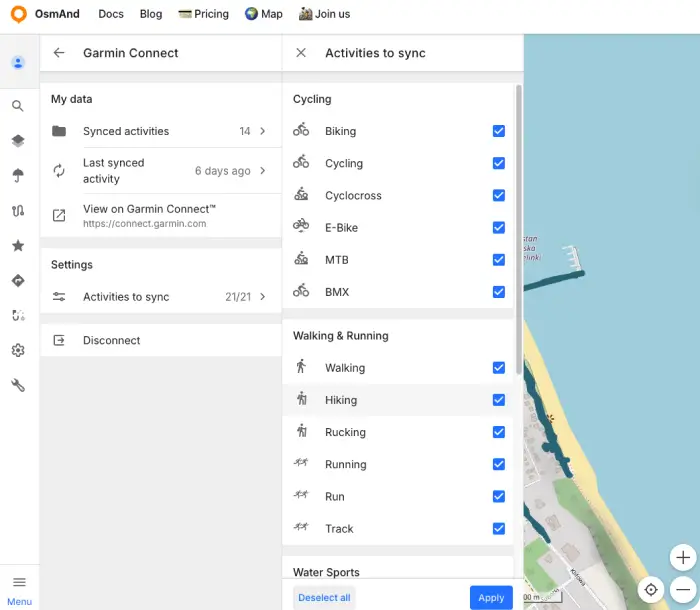
The interface also includes a “My Data” section with a few helpful shortcuts:
-
Last Synced: A quick button that opens your most recent Garmin activity immediately.
-
View on Garmin Connect: A direct link that takes you to the specific activity page on Garmin’s website if you need to see more technical health metrics.
If you ever decide to stop using the feature, you can hit “Disconnect” in the settings. This stops future syncs, but any tracks already imported into your “Garmin Connect” folder will stay there unless you delete them manually.
Important Details and Compatibility
While the integration is a welcome addition, there are a couple of things to keep in mind:
-
Subscription Required: You will need an OsmAnd Pro subscription to access this feature. This currently costs $5.99 per month or $39.99 for an annual plan.
-
Device Support: The sync works with essentially any hardware that uses Garmin Connect. This includes everything from the latest Fenix and Forerunner smartwatches to Edge cycling computers.
A Helpful but Costly Update
In my opinion, this new integration is a great tool. It saves me a lot of time because I no longer have to move my activity files by hand between apps. However, I think it’s a bit of a letdown that it is locked behind a “Pro” subscription. While the feature is definitely useful, it would be much better if it were free for everyone to use.
Also Read: Garmin Forerunner 70 & 170 Officially Released (And Yes, I Spotted Them Early)

