

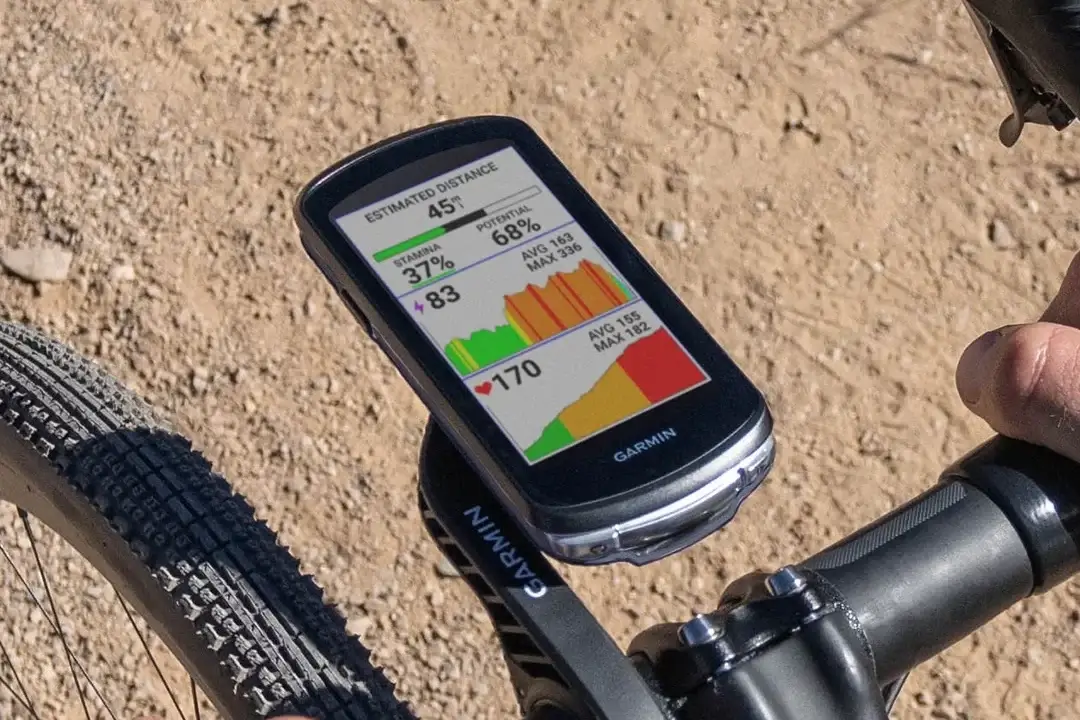
Garmin is sending out a brand-new beta software update for its popular lineup of cycling computers. The new software, version 32.10, is currently rolling out to riders using the Edge 540, 550, 840, 850, 1040, and 1050 models.
This update focuses heavily on squashing bugs and making the devices more reliable during rides.
Better GPS Signals and Smoother Navigation
One of the biggest improvements in this update is how fast the devices connect to satellites. Garmin says the update improves satellite acquisition, meaning you won’t have to stand around waiting for a GPS signal before you start pedaling.
The update also includes a fix for a bizarre navigation glitch that reversed the East and West readings on the compass.
Big Fixes for ClimbPro and Route Tracking
Cyclists who love tackling hills will notice several welcome fixes to the ClimbPro feature. Garmin patched a bug that showed an incorrect hill grade in the post-ride climb analysis. They also fixed layout glitches on the screen, specifically fixing the ClimbPro list marker offset and the marker’s position when you are in zoom view.
Additionally, if you are racing a segment, your real-time position and your “Virtual Partner” will now line up much better on the page’s elevation profile.
Crushing System Crashes and Light Pairing Bugs
The tech team at Garmin targeted a few annoying system crashes with this build. Previously, some users experienced a total device crash when trying to pair or remove a smart bike light. That bug has been fixed.
The update also cures a system crash that happened when looking up points of interest (POIs), specifically fixing the back navigation and search result errors in the POI category menu.
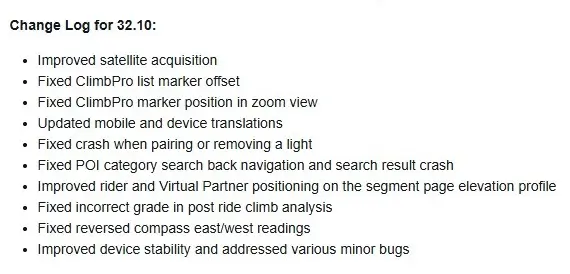
Finally, the update brings updated language translations for both the device menus and the mobile app, alongside general stability boosts to handle minor bugs. You can see the full change log in the picture below!
How to Get Beta Version 32.10
If your Edge computer is enrolled in Garmin’s beta program, you can pull the update manually. Make sure your device is connected to a Wi-Fi network and follow these steps:
-
Go to the Main Menu on your Edge.
-
Select System.
-
Select About.
-
Choose Check For Updates.

