

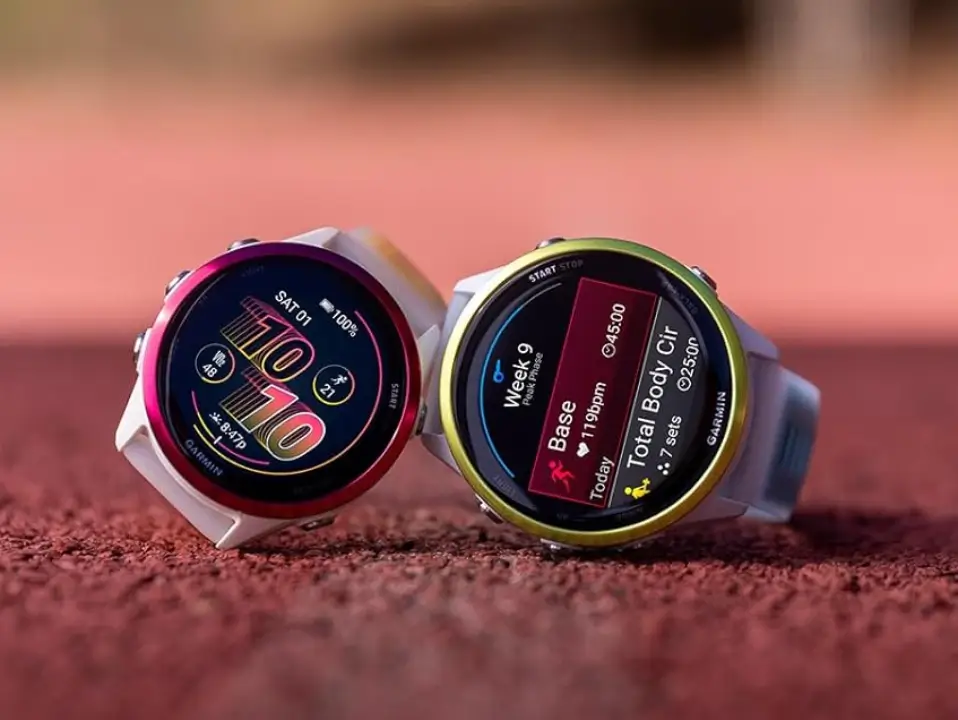
Garmin has started pushing out a fresh beta software update for two of its premium running watches. Owners of the Forerunner 970 and Forerunner 570 can now download version 18.12.
This latest update brings a mix of major new features, everyday convenience tweaks, and a long list of bug fixes to keep the devices running smoothly.
Wake Up Your Watch with Voice Commands
The biggest highlight of this update is the addition of hands-free voice controls. Users can now activate their watch simply by saying the wake word, “OK, Garmin.”
Runners and skiers are also getting some extra love. Garmin has added a new quick-workout suggestion tool built specifically for running sessions. Furthermore, if you prefer exercising indoors during the cold months, a dedicated XC Ski Indoor activity profile is now available to accurately track cross-country skiing simulation machines.
Smarter Controls and Daily Reports
Garmin has made several small changes to make the watches easier to use on a daily basis. For instance, the volume control menu now displays extra context so you know exactly what you are adjusting. When workout alerts pop up, you can now simply tap or swipe the screen to quickly clear the “step preview” and “step complete” banners.
Your evening and morning reports are also getting better. If you don’t care for the watch’s bedtime advice, you can now completely disable the sleep suggestion feature in your evening report. For swimmers, the watch will now only try to download stored heart rate data after a swim if you actually had a heart rate monitor connected, saving battery and processing time.
Better Map Navigation and Screen Fixes
When you are out exploring, the watch’s display should be much easier to read. Course point names can now be much larger, making them easier to see at a glance. Additionally, you can now use the touchscreen to instantly toggle between “North Up” and “Track Up” map views. The watch will also update your weather location more frequently to keep your forecasts accurate.
Several map and display bugs have also been cleared up:
-
Map Splitting: Fixed a bug where the map scale text would get cut off when using a split-screen map layout.
-
Cropped Icons: The Do Not Disturb icon will no longer get cut off on certain unique watch face designs.
-
Jagged Outlines: Fixed a visual glitch that caused border lines to look pixelated or jagged on specific watch faces.
A Massive List of System Crash Fixes
A large part of the 18.12 update focuses on stopping the watches from freezing or crashing. Garmin explicitly fixed several issues that caused the devices to randomly reset. These crashes used to happen when powering the device down, playing a round of golf, tracking a free strength workout, or utilizing the “Saved” app. Garmin also patched a rare crash that occurred when trying to install audio prompt software and main host software at the same time.
Resolving Workout and Audio Glitches
Beyond crashes, this update tackles a handful of annoying performance bugs that got in the way of working out:
-
Treadmill Accuracy: Fixed a bug that stopped treadmill calibration from saving properly, which previously kept treadmill distances inaccurate.
-
Workout Settings: Resolved an issue that stopped users from starting suggested multisport workouts.
-
Morning Edits: Fixed a glitch that blocked runners from editing structured repeat intervals when launching a workout straight from their morning report.
-
HIIT Tracking: Brought back the onscreen lap shortcut that had gone missing during High-Intensity Interval Training (HIIT) workouts.
-
Do Not Disturb: Fixed a flaw where your personal tone and vibration settings were ignored when the watch was set to Do Not Disturb mode.
-
Water Ejection: Fixed a bug where the speaker volume wouldn’t return to its normal level after using the watch’s built-in water ejection feature.
How to Get the Update
Because this is a beta release, it won’t land on your wrist automatically right away. If you want to try out these new features early, you can prompt your watch to find the download manually.
Just head over to the Main Menu, select Settings, go to System, tap Software Update, and click Check For Updates.

