

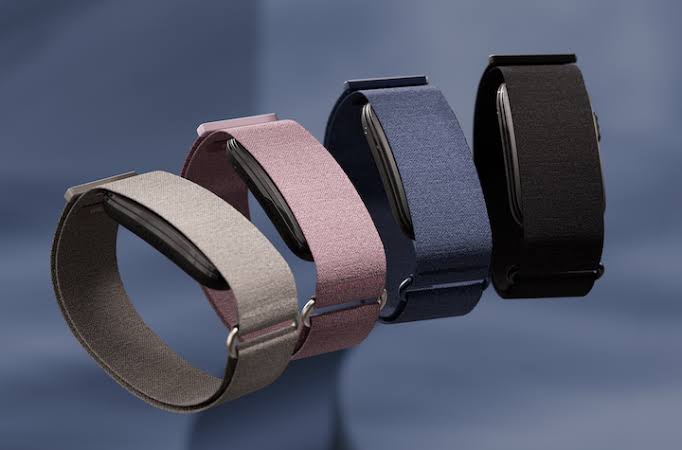
Just days after launching update 2.50, Garmin is pushing out a new stable software update for the CIRQA Smart Band. Version 3.20 brings several bug fixes, design tweaks, and new settings to improve overall performance.
Smarter Controls and Battery Tweaks
Garmin has made it easier to navigate the band’s interface. You can now customize what happens when you single-press or hold the button to start an activity. The Battery Manager has also moved under the System menu for easier access.
Battery alerts received a practical update as well. The system now triggers a low battery warning at 10% and a critical warning at 5%. Plus, a bug that prevented low battery alerts from popping up during workouts is now fixed. Garmin also updated how the battery status looks inside the Garmin Connect Mobile (GCM) app.
Better Tracking and Fitness Features
Runners using treadmills can now recalibrate their distance directly on the band after completing a run of at least 1.5 km or 1 mile. For outdoor workouts, Auto Start LiveTrack will now automatically turn on GPS to ensure accurate tracking.
Garmin refined strength training tracking by disabling rep counting when wearing the band on your upper arm, though you can still edit your rep counts later in the GCM app. Additionally, Android users who had trouble starting adaptive coaching workouts should no longer face that issue.
Alarms, Fixes, and Connectivity Updates
Sleep and alarm features received a few welcome polishings. Bedtime notifications now send at the right time, and the Smart Wake alarm won’t vibrate unexpectedly anymore. If you set an alarm for the first time, the band will now show a quick guide on how to snooze or dismiss it.
For connectivity, the band now lets you enter Bluetooth pairing mode while broadcasting heart rate data. Garmin also fixed a crash that happened when hitting the lap option during rowing activities, removed unused unit settings like swim total and vertical speed, and resolved small bugs affecting the LED lights and app interface.
How to Get the Update
You can download version 2.50 in two simple ways. You can connect your band to a computer using Garmin Express, or you can sync your device wirelessly through the Garmin Connect Mobile app on your phone.
Also Read: Garmin’s New Fenix 9 Pro Is Live on Amazon—Here Is What You Need to Know

