


Garmin is rolling out its very first stable software update, version 6.48, designed specifically for the Fenix 9 and Fenix 9 Pro smartwatches. This new update focuses entirely on squashing bugs and making everyday use a lot smoother for people wearing the high-end fitness watches.
Fixing Daily Glitches and Call Issues
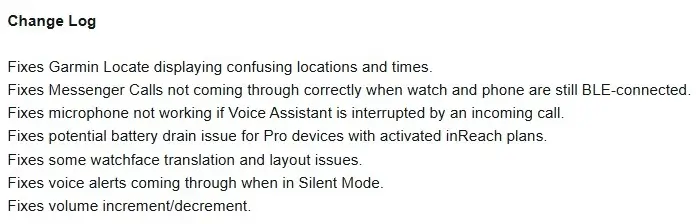
The fresh firmware clears up a handful of annoying glitches that users ran into. For starters, it fixes an issue where the Garmin Locate feature would show confusing locations and times. Messenger calls will also finally come through correctly when your watch and phone are connected via Bluetooth, meaning you will not miss important notifications on your wrist.
Battery, Microphone, and Audio Fixes
Other handy fixes include resolving a bug where the microphone would stop working if a phone call interrupted your Voice Assistant. Owners of Pro devices with active inReach plans will also be glad to hear that a potential battery drain issue has been patched out. Garmin also smoothed out minor watch face translation and layout errors, made sure voice alerts actually stay quiet when Silent Mode is turned on, and fixed problems with volume up and down buttons.
How to Download Version 6.48 Today
If your watch has not downloaded the update automatically yet, you can easily grab it yourself. Just open the main menu on your watch, head over to Settings, tap on System, select Software Update, and click on Check for Updates to get things started.
Also Read: Garmin’s New Fenix 9 Pro Is Live on Amazon—Here Is What You Need to Know

