

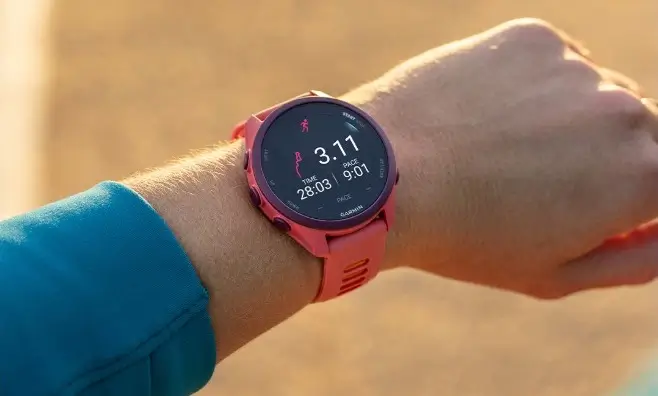
Garmin has started releasing a new beta software update, version 19.15, for several of its popular smartwatches. The new patch is currently available for users running beta software on the Forerunner 170, Forerunner 70, and Vivoactive 6 models. This update focuses heavily on fixing system bugs, improving overall performance, and refining daily health and fitness tracking tools.
Key Improvements to Fitness and Workout Tracking
Fitness enthusiasts will notice several useful tweaks to how their watch handles workouts. The Auto Lap feature will now clearly announce lap numbers as you complete them, making it easier to keep track of your distance. Swimmers will also see better accuracy when the watch detects swim lengths and specific stroke types. Additionally, high-intensity workouts will be less distracting, as the watch will now hold incoming phone notifications until your intense interval ends.
Smarter Daily Alerts and Activity Controls
Garmin has also updated how the watch manages day-to-day reminders and activity logs. Move alerts now give you the option to manually snooze them, and they will automatically quiet down under certain conditions when you shouldn’t be interrupted. Discarding recorded activities longer than 30 seconds has also been updated to work smoothly, preventing accidental data loss.
System Bug Fixes and Stability Improvements
A large part of update 19.15 addresses frustrating system bugs and crashes. Most notably, Garmin fixed a serious bug that caused watches to suddenly restart whenever a user answered a phone call directly on the device. Audio issues have also been resolved, fixing uneven Bluetooth headset volume and syncing problems. Furthermore, a battery drain glitch linked to using Alipay has been patched.
Fixes for Apps and On-Screen Features
Several smaller app and display issues were cleaned up in this release. The weather app will now continue showing cached data even during temporary network outages, and the Breathwork app will no longer display blank instruction screens. Users can now easily remove the Radar Camera Controls screen, rearrange stock watchlists instantly, search continuously using “Find My Device” without missing alerts, and pair HRM 200 or 600 heart rate monitors with new built-in instructions.
How to Install Update 19.15
If your device is registered in the Garmin Beta Program, you can manually download and install update 19.15 right now. To check for the update, open the Main Menu on your watch, navigate to Settings, select System, go to Software Update, and tap Check for Updates.
Also Read: Garmin Enduro 4 Officially Launches: Here Is What’s New and Everything You Need to Know

