
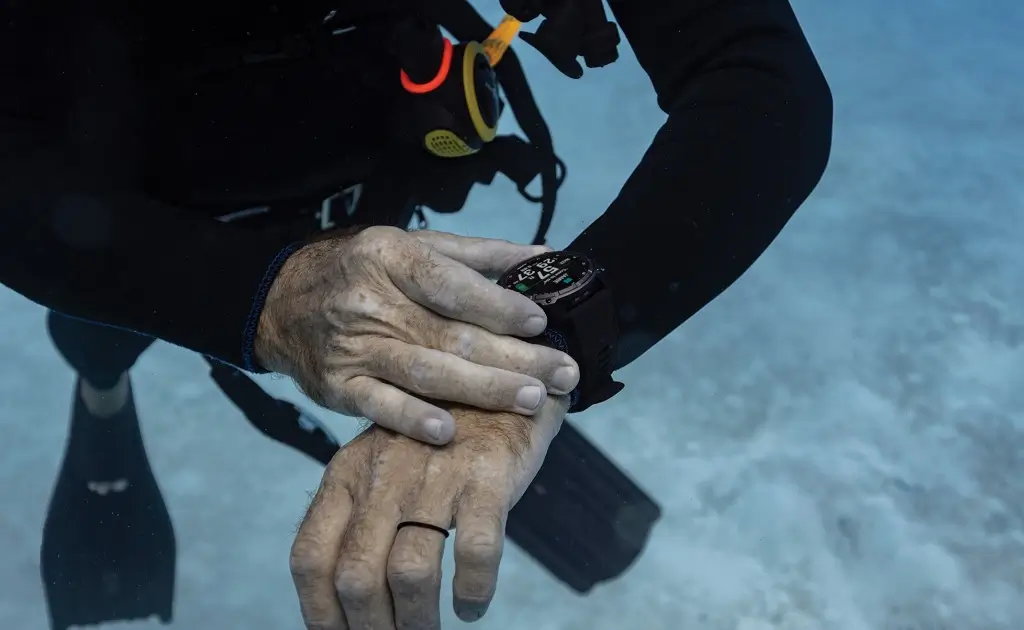
Garmin has officially started rolling out software version 28.04 for the Descent Mk3, Mk3i, and Mk3s smartwatch lineup. The release brings key safety refinements for divers alongside several bug fixes aimed at improving everyday map and location accuracy.
The update is currently reaching roughly 20% of active devices, with Garmin planning to expand availability in phases over the coming days.
Underwater Safety Alarms Get a Smarter Design
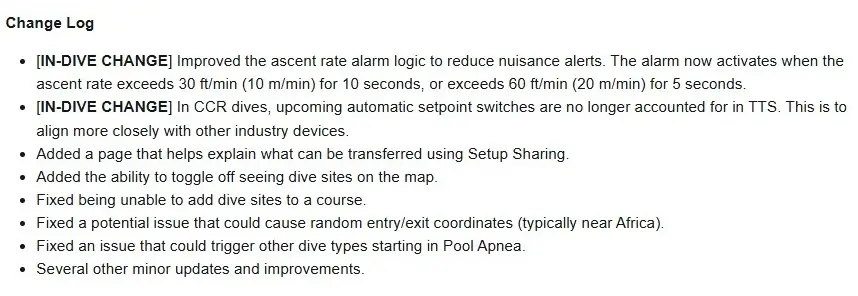
The headline change in version 28.04 focuses directly on dive safety and alarm accuracy. Garmin revamped the ascent rate alarm logic to reduce nuisance alerts during a dive. Going forward, the alarm will only trigger if a diver rises faster than 30 feet (10 meters) per minute for 10 consecutive seconds, or exceeds 60 feet (20 meters) per minute for 5 seconds.
For Closed Circuit Rebreather (CCR) divers, Garmin adjusted how the device calculates Time-To-Surface (TTS). The system no longer factors upcoming automatic setpoint switches into TTS calculations, aligning the Descent Mk3 line with broader dive industry standards.
Navigation and Map Bugs Finally Resolved
Several longstanding mapping issues have been cleared up in this release. Divers can now toggle dive site icons on or off directly on the map view to reduce clutter, and a glitch that prevented adding dive sites to saved courses has been fixed.
Additionally, Garmin fixed a location bug that occasionally caused watches to log random entry and exit coordinates, often placing dives incorrectly near the coast of Africa. Garmin also resolved an issue where secondary dive modes could accidentally trigger inside Pool Apnea mode.
New On-Device Tools and Manual Downloads
To make upgrading devices easier, Garmin added an explanatory page for its Setup Sharing feature. This new screen walks users through exactly which settings and data transfer over when setting up a new watch.
While the update is deploying automatically in stages, users who want version 28.04 right away can trigger the download manually. Navigate to Main menu > Settings > System > Software Update, and select Check For Updates while connected to Wi-Fi or Bluetooth. See the change log summary in the picture below!
Also Read: Garmin Descent Mk4: Release Date Based on Patterns and My Personal Wishlist

