

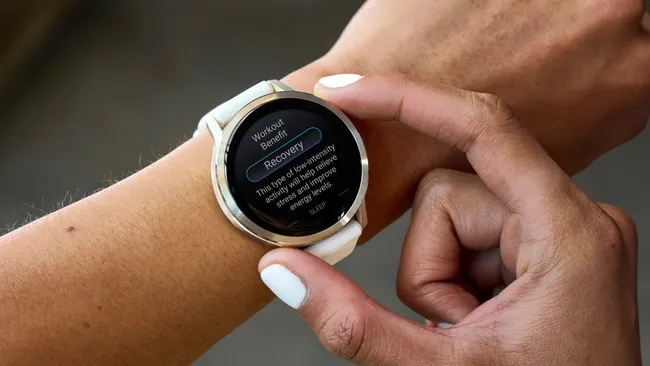
Garmin is beginning the rollout of a new stable software update, version 15.16, specifically tailored for the Venu 4 and Vivoactive 6 smartwatches. This update focuses primarily on resolving several known issues to enhance the overall stability and user experience of both devices.
Venu 4: Key Improvements in Version 15.16
The Venu 4 receives a number of significant fixes in this new software version, mainly addressing issues related to calls, notifications, and audio.
- A critical fix addresses a problem where the speaker could be muted or the device might reboot after a user attempted to answer a phone call while music was actively playing through the speakers.
- Notification accuracy is improved, resolving an issue that caused the notification number on the watch face to display incorrectly.
- The update corrects a bug preventing the Evening Report from appearing at the designated time.
- System stability is enhanced with a fix for a scenario where the device could reboot upon receiving several smart notifications in quick succession.
- For voice notes, the update reduces the audible ‘click’ sound at the start of a recording and fixes a separate bug that occasionally caused a voice note to replay at half speed.
- User control is enhanced by allowing the device to be powered down without requiring a passcode.
- Finally, the update includes various other bug fixes and general improvements to the Venu 4’s performance.
Vivoactive 6: New Features and Bug Fixes
The Vivoactive 6 update also focuses on stability fixes similar to the Venu 4 but introduces a notable new feature for health tracking enthusiasts.
- A brand new feature is the addition of a glance designed to track health data changes and overall well-being. This gives users a quick, consolidated view of key metric fluctuations.
- Similar to the Venu 4, this update resolves the issue where the notification number on the watch face was incorrect.
- It also fixes the problem causing the Evening Report to not display at the expected time.
- System reliability is bolstered by addressing the bug that could cause the device to reboot when multiple smart notifications were received back-to-back.
- The ability to power down the device without entering a passcode has also been added for convenience.
- The release concludes with various bug fixes and general improvements to optimize the Vivoactive 6’s performance.
How To Get The Update
The release is currently at a 20% rollout, meaning a subset of users are receiving it now, with a wider release expected soon.
The update will automatically sync to your eligible device through the Garmin Connect Mobile application or via Garmin Express when connected to a computer. If you haven’t received the automatic update yet and wish to install it immediately, you can manually trigger the download by navigating to Menu > Settings > System > Software Update on your smartwatch.

