
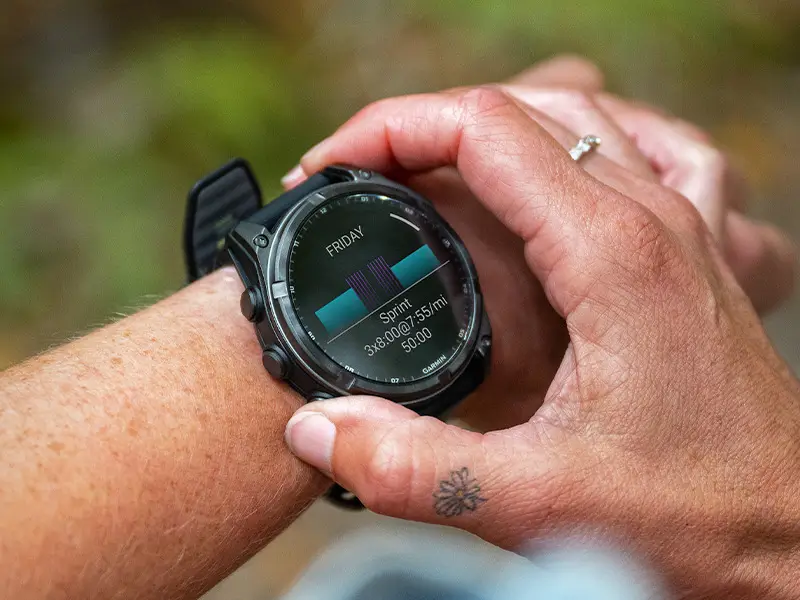
Garmin has released another software patch for its flagship outdoor smartwatch lineup. The new beta update, version 24.16, is now available for the Fenix 8, Fenix 8 Pro, Fenix E, Quatix 8, Tactix 8, and Enduro 3 models.
The update arrives just three days after Garmin distributed beta version 24.15 to the same watch family, packing a long list of bug fixes and system tweaks.
Note: The Beta software available for the Fenix 8 series will have the ECG feature and Dive features Disabled.
Language and System Stability Tweaks
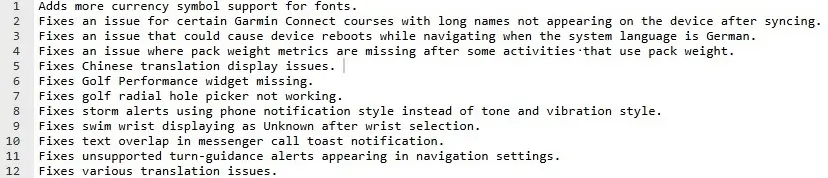
The new build addresses several stability and display issues related to system languages. Most notably, Garmin fixed a bug that caused smartwatches set to German to reboot during active navigation unexpectedly.
The update also adds support for additional currency symbols in system fonts, fixes several Chinese translation errors, and cleans up general translation issues across the interface.
Course Syncing and Navigation Fixes
Garmin made key adjustments to how the watches handle routes and map guidance. The update resolves an annoying sync issue where courses from Garmin Connect with long titles failed to show up on the watch.
Additionally, Garmin cleaned up the navigation menu by removing unsupported turn-guidance alerts from the settings screen.
Restored Golf Tools and Features
Golfers will notice a couple of key interface fixes in this build. Version 24.16 restores the Golf Performance widget, which had gone missing for some users on the previous firmware.
It also fixes a bug that stopped the radial hole-picker interface from responding properly during rounds.
Adjustments to Alerts and Notifications
Garmin made subtle changes to how the watches handle incoming alerts. Storm alerts have been reverted to use tone and vibration alerts rather than showing up as phone-style notifications.
The update also fixes overlapping text layout errors that occurred when receiving messenger call pop-ups on screen.
Tracking and Sensor Bug Fixes
A few specific activity-tracking glitches have been cleared up in this build. Athletes tracking weighted activities will no longer see missing pack weight metrics in post-workout summaries.
Furthermore, Garmin resolved a bug where the swim wrist setting defaulted to an “Unknown” status after being selected. See the change log summary in the image below!
How to Install the Update
Users enrolled in Garmin’s Public Beta Program can trigger the download manually over Wi-Fi directly from the watch.
To pull down the latest software build:
-
Hold the Menu button to open the main menu.
-
Select Settings.
-
Scroll down to System.
-
Open Software Update.
-
Select Check For Updates.
Also Read: Garmin Hints at Price Increases for Smartwatches Heading into 2027

