

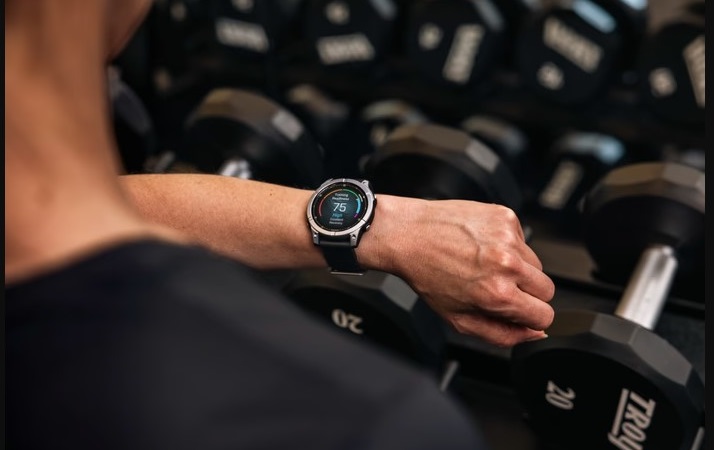
To those of us who have made Garmin our home, Garmin Connect is most certainly the “gold standard.” However, we all know the feeling of being limited by a single cloud-based system for our personal training statistics. For me, owning the hardware has meant owning the data, and that is precisely why I am eager to introduce the concept of Fit Dashboard.
For anyone who wishes to escape cloud-syncing or just desires a more “pro” approach to analyzing your training stats on your computer, I’ve found the answer.
Why Local Data Matters (And Why I’m Moving Toward It)
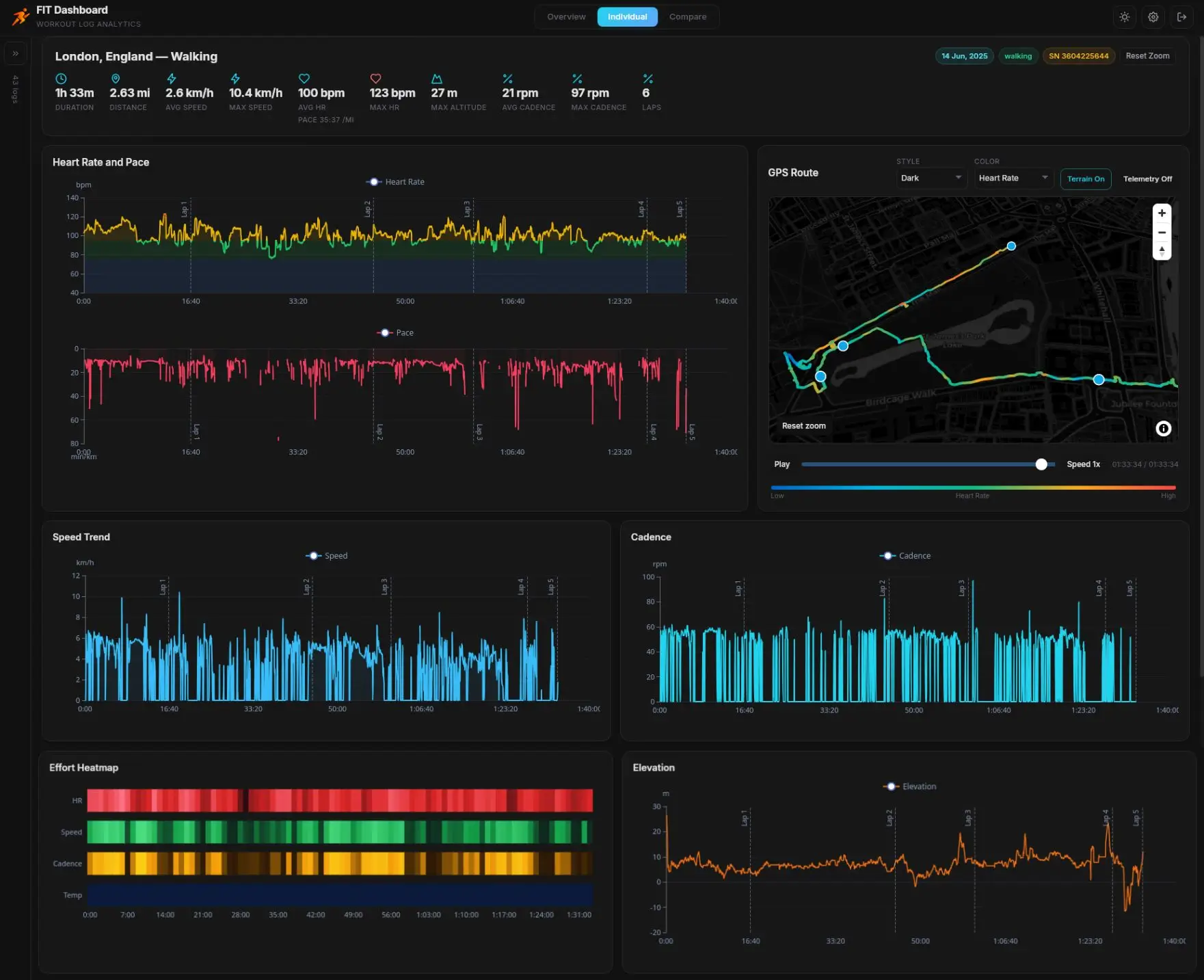
There is an increasing tendency for fans who have had enough of their personal data being stored on servers elsewhere. While Garmin enables users to synchronize their activities easily, in actuality, all information is stored locally within FIT files.
Using Fit Dashboard, I am able to transfer those files using a USB cable and store all of my training data on my computer’s hard disk. This gives a user not only more privacy but a “local first” approach to things. Should something go wrong with the internet connection or the service, I am still free to analyze my results.
Dealing with the Data Dump: Smart Importing
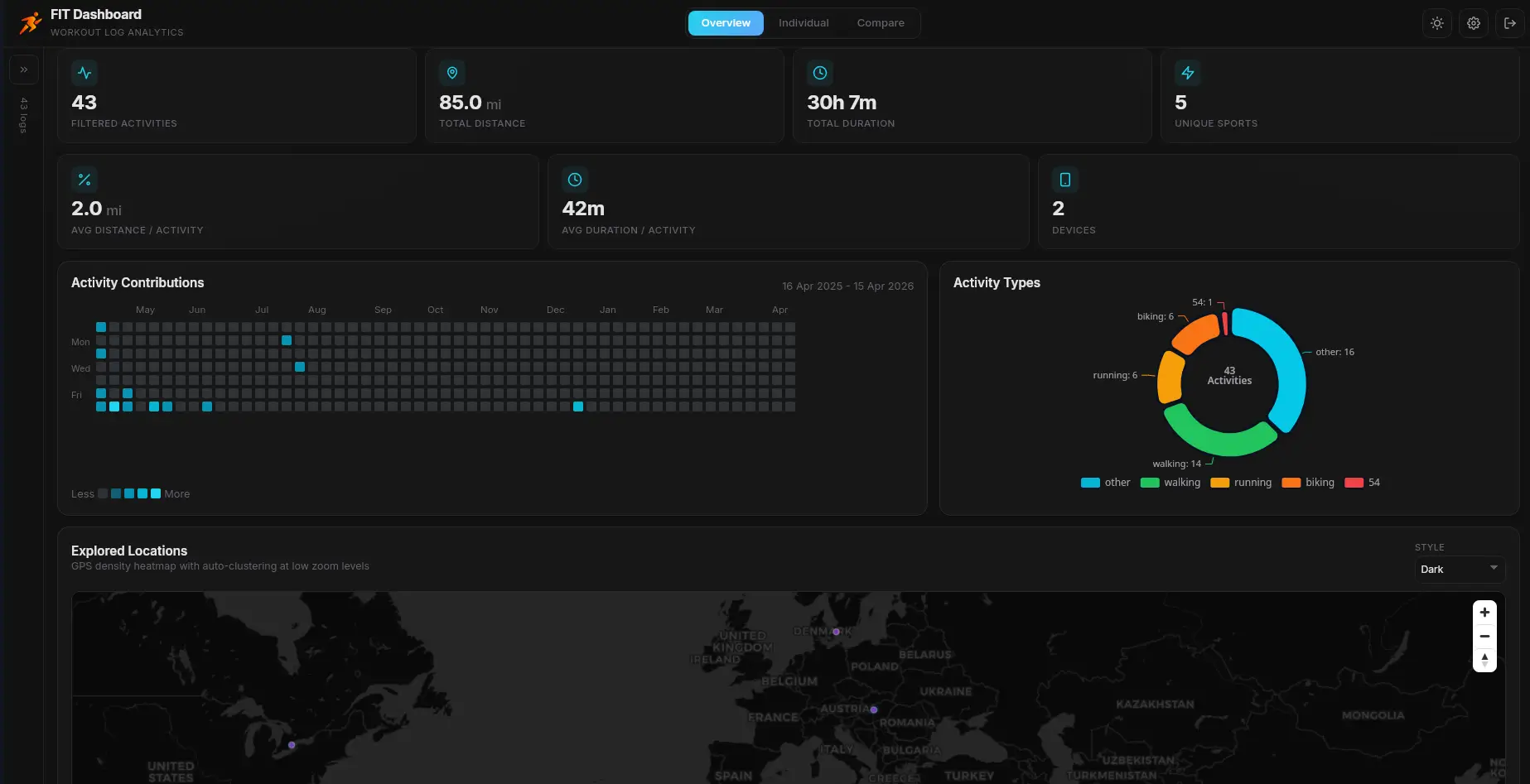
One of the things that usually turns me off from using a third-party software program is a poorly designed user interface. However, I was very pleased to see how well this program works for mass importing. One may upload his whole activity folder to the program through batch import.
I am especially pleased as a user of this program with its ability to automatically delete duplicates. It is extremely irritating when you have the same amount of miles doubled just because there was an extra file with the information.
Visualizing the “Why” Behind the Metrics
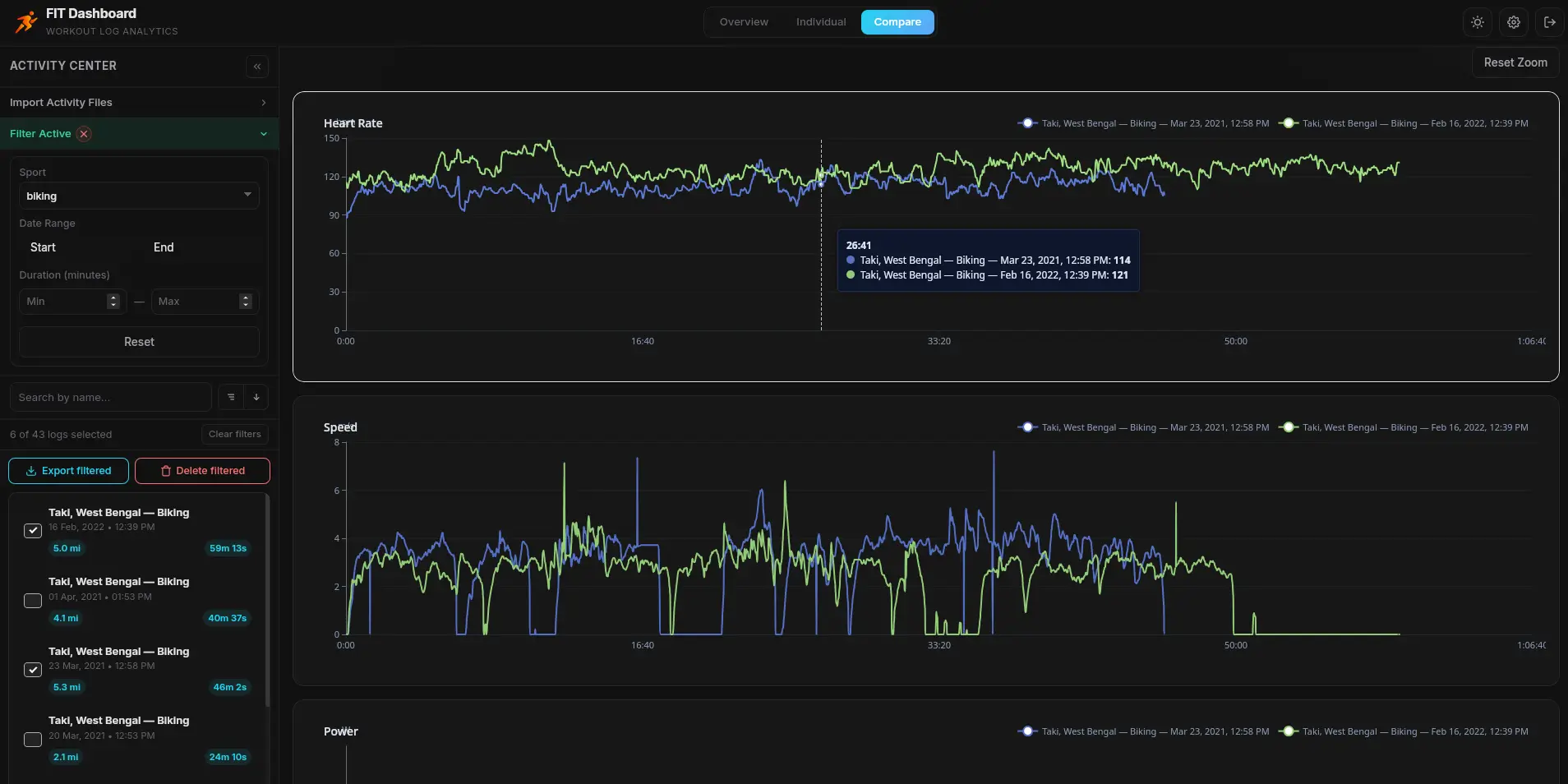
What truly matters when speaking about the utility of a dashboard is its ability to help you analyze your performance, which is something that I find better done by the Fit Dashboard in contrast with a number of smartphone applications. I love the possibility of viewing several workouts against one another.
For example, in case you want to check if you have managed to decrease the heart rate at the same speed compared to three months ago, you will clearly see the difference. This way, you no longer need to browse through pages and pages of data on your smartphone; instead, you receive meaningful insights into your performance. Normally, this sort of functionality is available only upon purchase; however, in this case, everything is for free.
My Take: The Ultimate “Exit Strategy” for Your Data
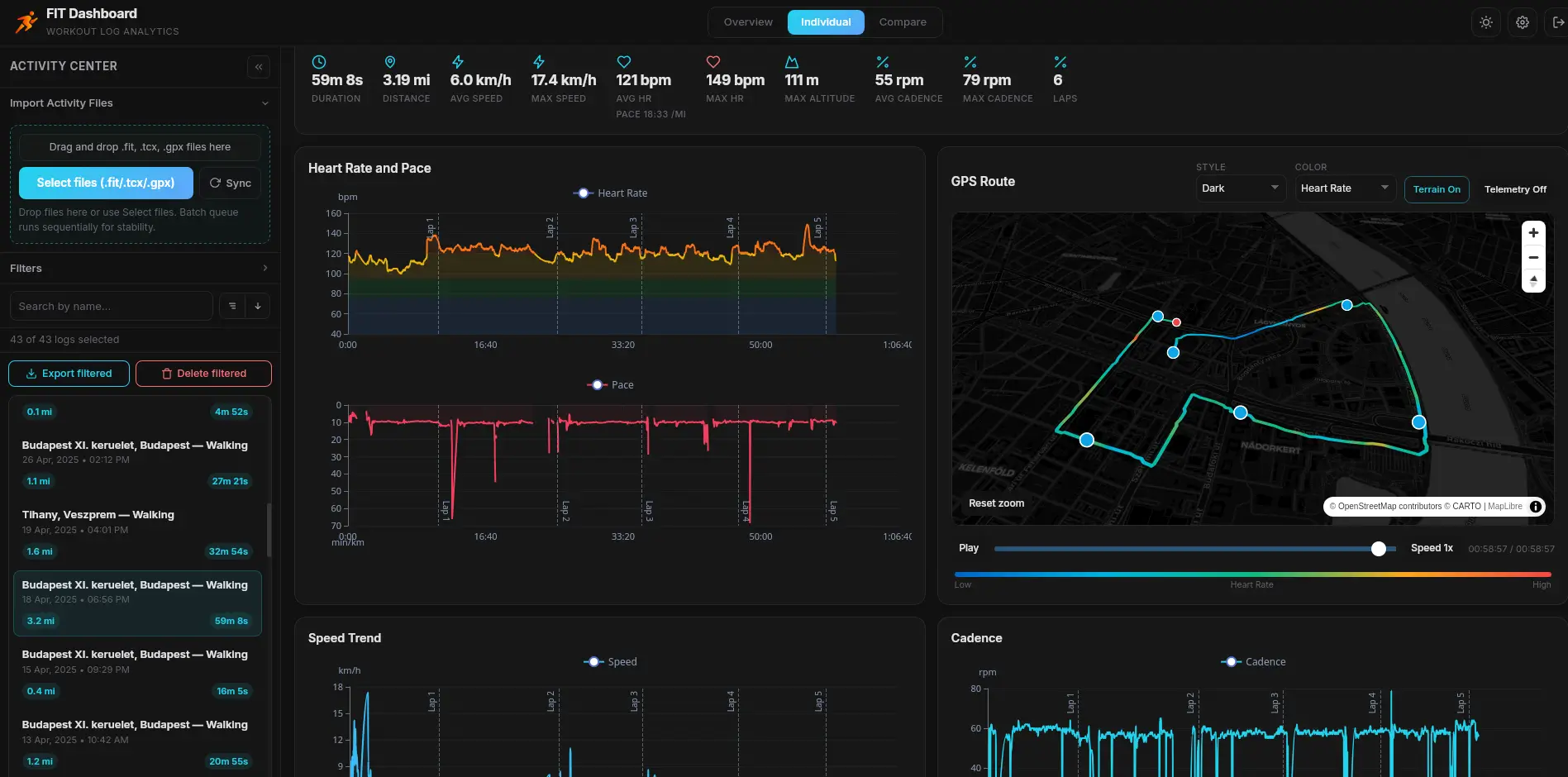
What makes me feel most relaxed about the whole idea is the fact that Fit Dashboard does not force users to use their services. The application is extremely flexible and allows converting any particular run to a CSV file or a GPX file whenever a user feels like it.
If I had to make a recommendation to anyone who owns a Garmin device, it would be to start using a local analysis program such as Fit Dashboard. Such software will shift users’ focus from cloud uploading and will transform their devices into high-quality data collectors. This solution seems much more professional than just using a website. You can download the application from this link.
Also Read: The 5 Garmin Launches I’m Saving My Money For in H2 2026


NO deja para Apple Silicon!!!……