

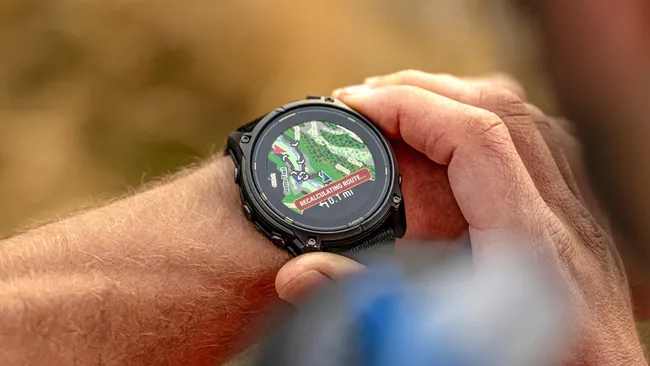
Garmin is pushing out a fresh beta software update, version 23.22, for several of its top-tier smartwatches. If you own a Fenix 8, Fenix 8 Pro, Fenix E, Quatix 8, or Enduro 3, your device is eligible for these latest fixes and tweaks.
Here is a simple breakdown of what is changing with this patch and how to get it on your wrist.
Note: The Beta software available for the Fenix 8 series will have the ECG feature and Dive features Disabled.
Major Crash and System Fixes
The biggest focus of update 23.22 is keeping your watch from unexpectedly shutting down. Garmin fixed a bug that caused devices to reboot randomly during everyday use.
Several specific crash triggers have also been cleared up. Your watch should no longer freeze or restart when you open your morning report, receive an audio spectator message, or trigger the incident detection feature during an emergency.
Smoother Tracking and Feature Tweaks
Runners and cyclists will notice better data tracking with this patch. Garmin resolved a bug that caused sudden dropouts in your pace and speed data, which was happening mostly during high-intensity interval workouts.
A few small feature bugs were also ironed out. The morning and evening reports will now close automatically on their own instead of staying stuck on the screen. Additionally, a new message will now pop up to let boaters know that custom watch face choices won’t appear until Boat Mode is turned off.
Audio and Interface Improvements
If you listen to music or use voice prompts on your runs, this update fixes several annoying sound bugs:
-
The volume slider in the music app will no longer jump around or stop responding when you try to adjust it.
-
Audio spectator messages will no longer fail to play when your main audio is paused.
-
Voice alerts will continue working properly after a spectator message finishes playing.
-
Activity Focus mode will now strictly respect Silent Mode when enabled.
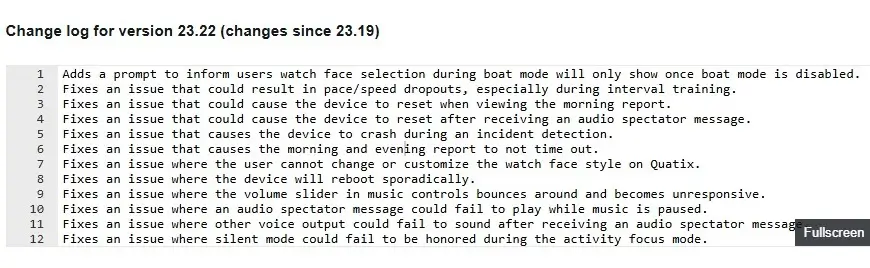
Quatix watch owners also get a specific fix that restores the ability to customize and switch their watch face styles. You can see the full change log in the picture below!
How to Get the Update
If your watch is enrolled in the Garmin Beta Program, you can download version 23.22 directly over Wi-Fi or Bluetooth.
To install it manually, open the Main Menu on your watch, head to Settings, select System, tap Software Update, and choose Check For Updates.
Also Read: Garmin Teases New Outdoor Watches for Late 2026 as Fitness Sales Boom

