

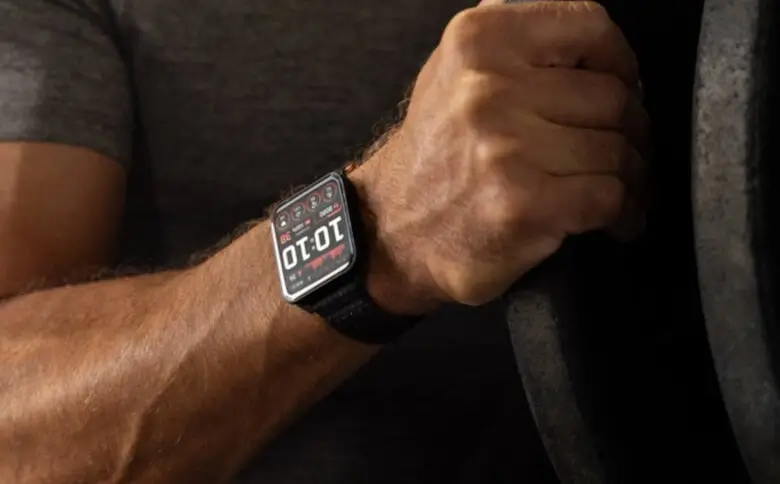
Garmin has officially released a major stable software update for its Venu X1 smartwatch line. Dubbed version 17.33, this new software comes after more than two months of testing in a public beta program.
The update is packed with new features, software tweaks, and a long list of bug fixes aimed at improving everyday performance and battery life.
Better Tools for Golfers and Boaters
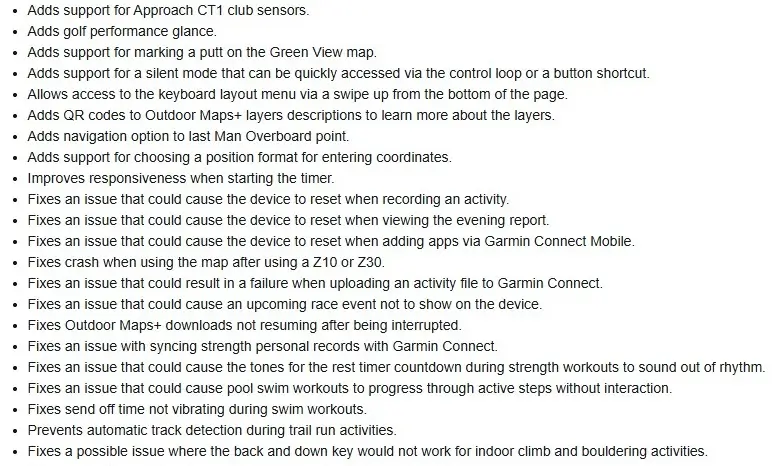
Garmin is leaning heavily into specialized sports with this update. Golfers are getting the biggest upgrades, with new support for Approach CT1 club sensors and a dedicated golf performance glance on the watch. Users can also now mark a putt directly on the Green View map.
For boaters and open-water adventurers, Garmin added a quick navigation shortcut that points directly back to the last “Man Overboard” location. Additionally, users can now choose their preferred coordinate format when entering location data.
Smart Shortcuts and Interface Changes
A few design changes make the watch easier to use on the go. There is a new “silent mode” that you can quickly turn on through your control loop or by using a button shortcut.
If you need to change your keyboard settings, you can now simply swipe up from the bottom of the screen to open the layout menu. For users who download Outdoor Maps+, Garmin added QR codes to the map layer descriptions so you can quickly scan and learn more about what you are downloading.
Fixing Annoying Resets and Battery Drain
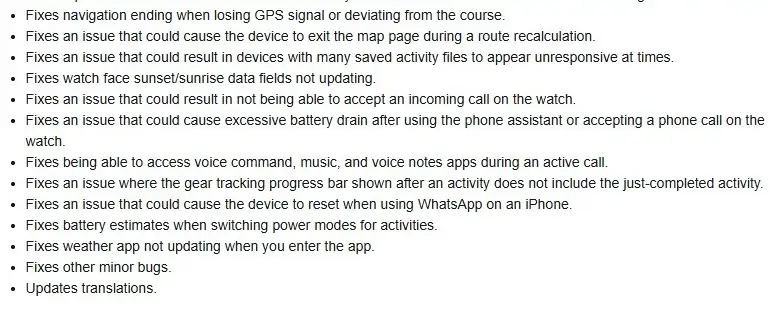
Before this update, many Venu X1 users complained about the watch randomly resetting itself. Garmin says it has fixed several crashing issues, including resets that happened while recording an activity, viewing the evening report, adding apps via the mobile app, or using WhatsApp on an iPhone.
Even better, the update fixes a frustrating bug where the battery would drain rapidly after using the phone’s voice assistant or taking a phone call directly from the wrist. The built-in weather app has also been fixed, so it updates your local forecast the moment you open it. You can see the full change log in the pictures below!
How to Get the Update Now
The update is rolling out to users over the air, but you do not have to wait for it to hit your device automatically. You can pull the update manually right now by navigating through your watch menus.
To check for the update, follow these steps:
-
Open the Main Menu on your watch.
-
Select Settings, then scroll down to System.
-
Tap on Software Update.
-
Select Check For Updates to download and install version 17.33.

